
The Page Content Assistant is a new feature in Involv intranet 5.4 that helps you while you create or edit a page. As you write or rewrite, it offers intelligent content suggestions so you spend less time staring at a blank page and more time publishing content that reads well.
The assistant works inside the normal page editing experience. It is designed to support the content creator, not replace them: you stay in control and decide which suggestions to keep, adjust, or ignore.
Use it when you are drafting a new page, improving an existing one, or want a quick second opinion on wording and structure before you publish.
Because the Page Content Assistant relies on AI, an administrator must first enable AI for content on your intranet. If you do not see the assistant while editing a page, AI has most likely not been switched on yet
2. What you'll learn- What the Page Content Assistant does and when to use it
- What you need before the assistant is available
- Where to find the assistant while editing a page
- How to use its content suggestions
Watch the interactive demo below to follow each step by step.
4. Before you start: AI must be enabledThe Page Content Assistant only appears when an administrator has enabled AI for content on your intranet. This is controlled by the Enable content enhancements with AI setting in Involv Manager, and it requires the Involv AI services to be set up in your environment first.
If the assistant is not available to you, ask your intranet administrator to confirm AI has been enabled. For the administrator steps, see How do you enable AI in Involv intranet?.
5. Open the Page Content Assistant while editing a page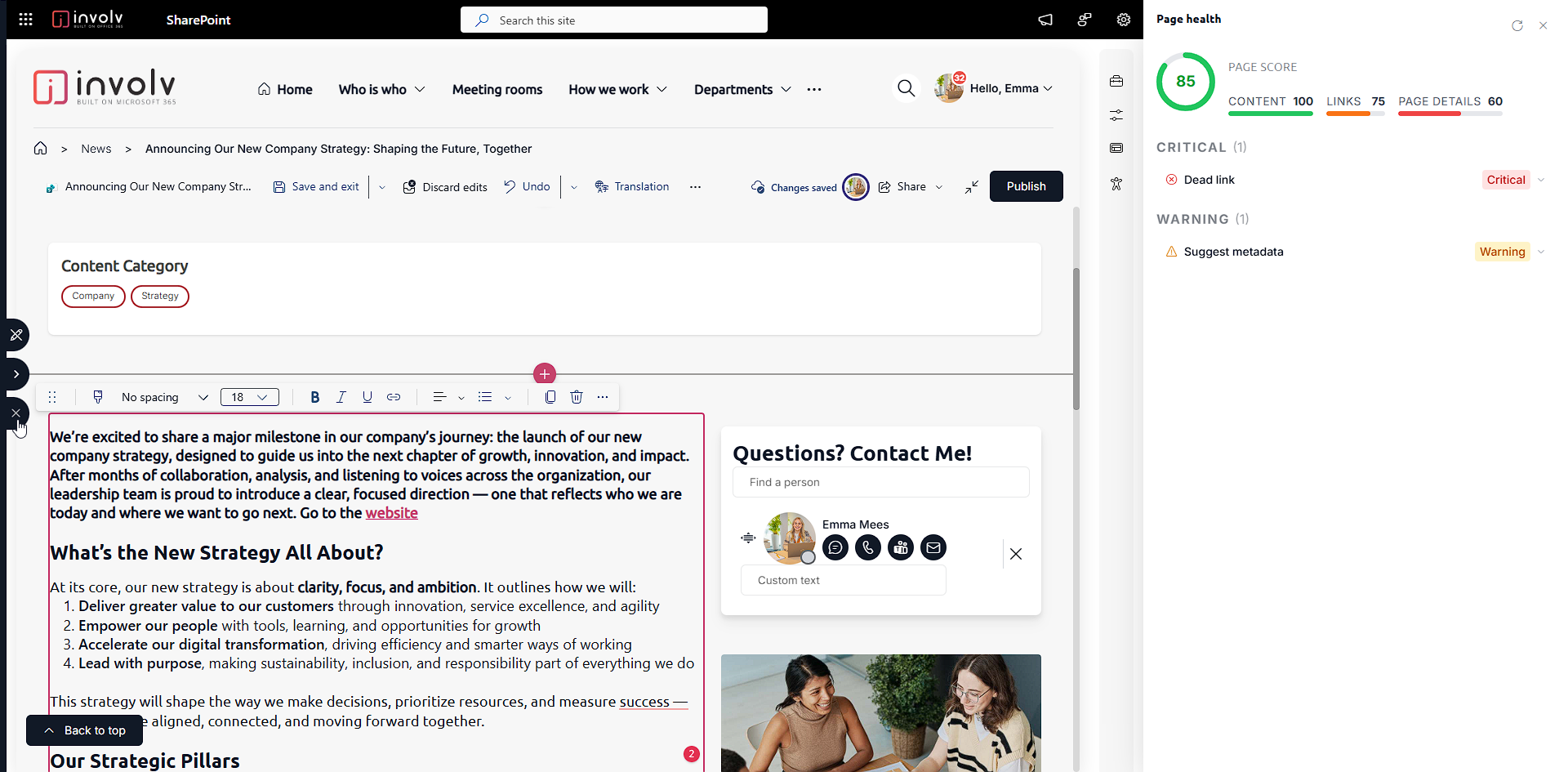
Start editing the page you want to work on. While the page is in edit mode, the Page Content Assistant is available on the left
6. Use the content improvement suggestions
-Suggested metadata
-repair dead links
-Improve content
6. ResultYou have used the Page Content Assistant to improve page content with AI-powered suggestions, while keeping full control over what actually gets published. Your page is ready to review and publish as usual.
For related topics, see How to use the Involv AI search and How to use Smart Content Intelligence.
Involv version 5.4