You can improve and broaden your search results by adding synonyms to your search terms.
- Open the Search Terms list - InvolvSearchSynonyms using Involv Manager > Configuration > Search > Manage Search Synonyms
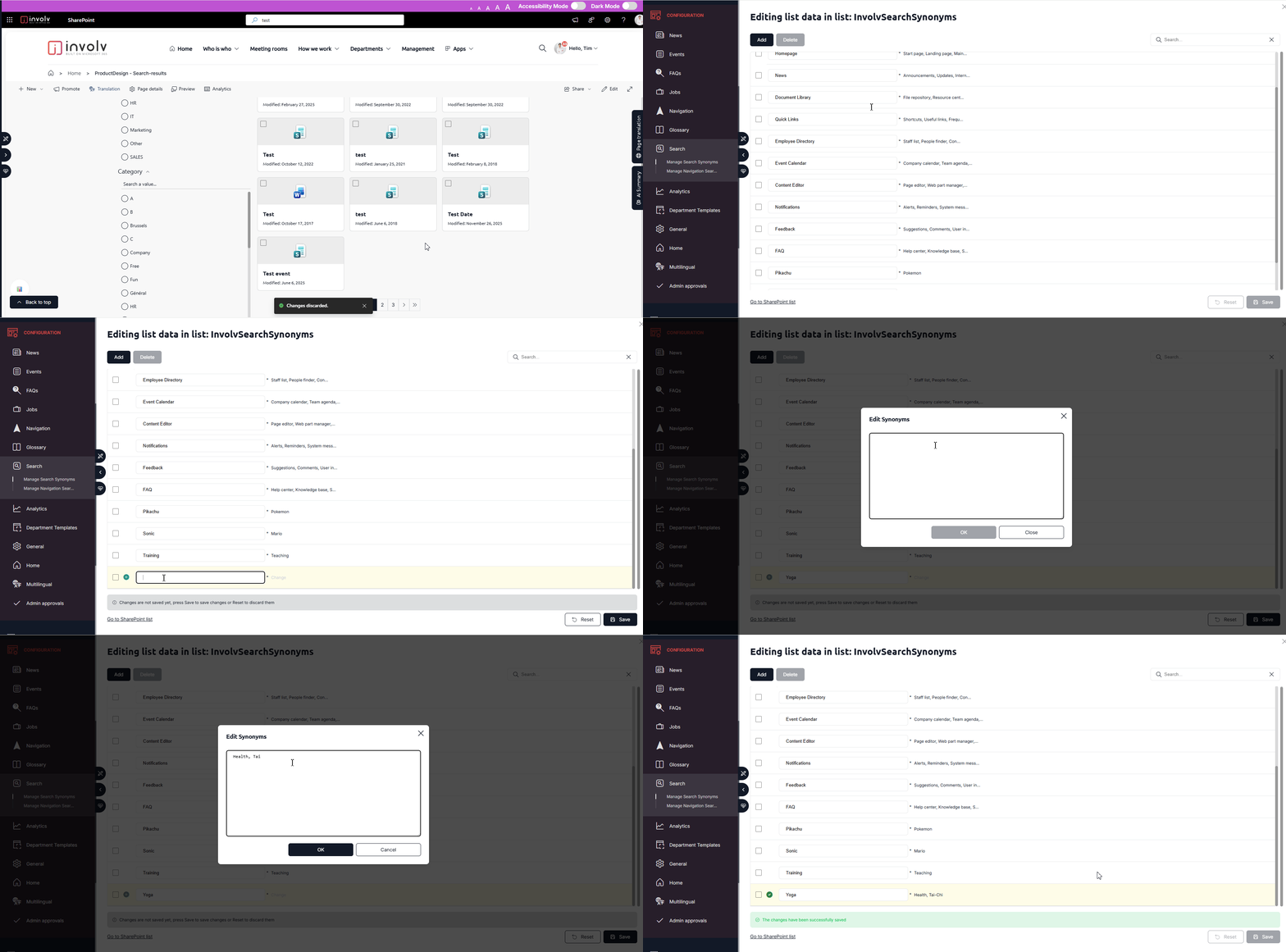
- Edit or Create a search term you want to enhance.
- In the Synonyms field, add one or more alternative terms that users may search for.
- Separate each synonym with a comma (,).
Example:
Notifications: Alerts, Reminders, System messages
After saving your changes, it may take a few minutes before the new synonyms become active and are included in search results.
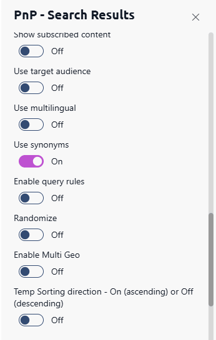
Important: The use of synonyms must also be enabled in your Involv (or PnP) Search Results web app. If synonym support is not activated, the configured synonyms will not be taken into account during searches.