
1. Overview
The Involv AI search enhances the way employees find information and colleagues across the intranet. By combining AI-assisted prompts, summaries, and people search, users can quickly get contextual answers, discover relevant content, and identify colleagues who can help with specific questions.
This AI-assisted experience works across SharePoint news, documents, and the people directory, making company-wide knowledge easier to access.
2. What you’ll learn
After reading this guide, you will be able to:
-
Understand how the Involv AI search works
-
Use AI summaries to quickly grasp information
-
Perform AI-assisted searches in the people directory
-
Configure and refine AI prompts for better results
3. Watch interactive tutorial
Step-by-step explanation
-
How does the Involv AI search work?
Involv AI search combines traditional search results with AI-generated summaries and suggestions to guide users toward relevant content and people. -
Activate AI-assisted search
To start searching with AI, activate the "AI Assisted" toggle in the search interface. -
Use suggested AI prompts
Suggested AI prompts are displayed immediately. Select one of these prompts to quickly start your search. -
View the AI summary
A clear and concise AI-generated summary is shown instantly, helping you understand the topic without opening multiple results. -
Explore follow-up suggestions
The AI provides suggestions for next actions or related searches, allowing you to refine or deepen your query. -
Another common example
You can repeat the same process with a different question to see how AI adapts to new search intents. -
Find relevant colleagues
As a result, Involv AI returns colleagues who can help answer your question based on expertise and profile information. -
People-focused search experience
The AI search integrates seamlessly with the people directory. -
Access profile pages easily
Direct links to colleague profile pages are available, enabling quick contact or follow-up. -
Search across the entire company
You can perform AI-assisted searches across your entire organization by activating the "AI Assisted" toggle and entering your query. -
Define what AI should look for
You can clearly define the scope and intent of your AI search. -
Set your AI prompt
Adjust or write your own AI prompt to guide the search toward specific content, roles, or topics. -
Get relevant content results
In this example, AI finds a recent news article about a new CIO across SharePoint news, documents, and other sources. -
Learn more about Involv AI
Explore additional Involv AI features to further enhance search, discovery, and employee engagement.
4. New in 5.3 release – January 2026
With the 5.3 release, the Involv AI search is further enhanced to deliver faster, smarter, and more flexible search experiences:
-
Optimized AI queries
Improved query handling ensures more accurate and relevant results across content and people search. -
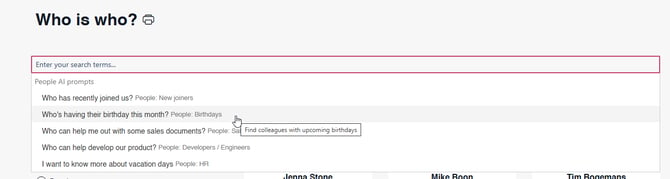
Intelligent search suggestions
Users now receive smarter, context-aware suggestions to refine or continue their search more efficiently.
-
Reprompt capability
You can easily adjust or reprompt your AI query without starting a new search, allowing for quick iteration and refinement. -
Microsoft Copilot integration (beta)
Involv AI introduces a beta integration with Microsoft Copilot, enabling closer alignment between intranet search and Microsoft 365 AI experiences.
New in 5.4 release — June 2026
With the 5.4 release, AI Search becomes more configurable and gives users faster, more focused answers.
Administrators enable and configure AI Search in Involv Manager — see How do you enable AI in Involv intranet?.
- Configurable predefined search suggestions — administrators can now replace the predefined search suggestions in Involv Manager, so the prompts users see match your organisation's most common questions.
- Intent-based redirects — AI Search reads the intent behind a query and can send the user straight to the most relevant destination. When it detects the user is looking for a person, it can redirect them to your Who is Who page; document- and page-oriented queries route to their own destinations.
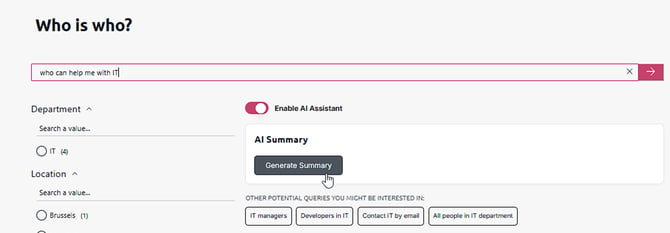
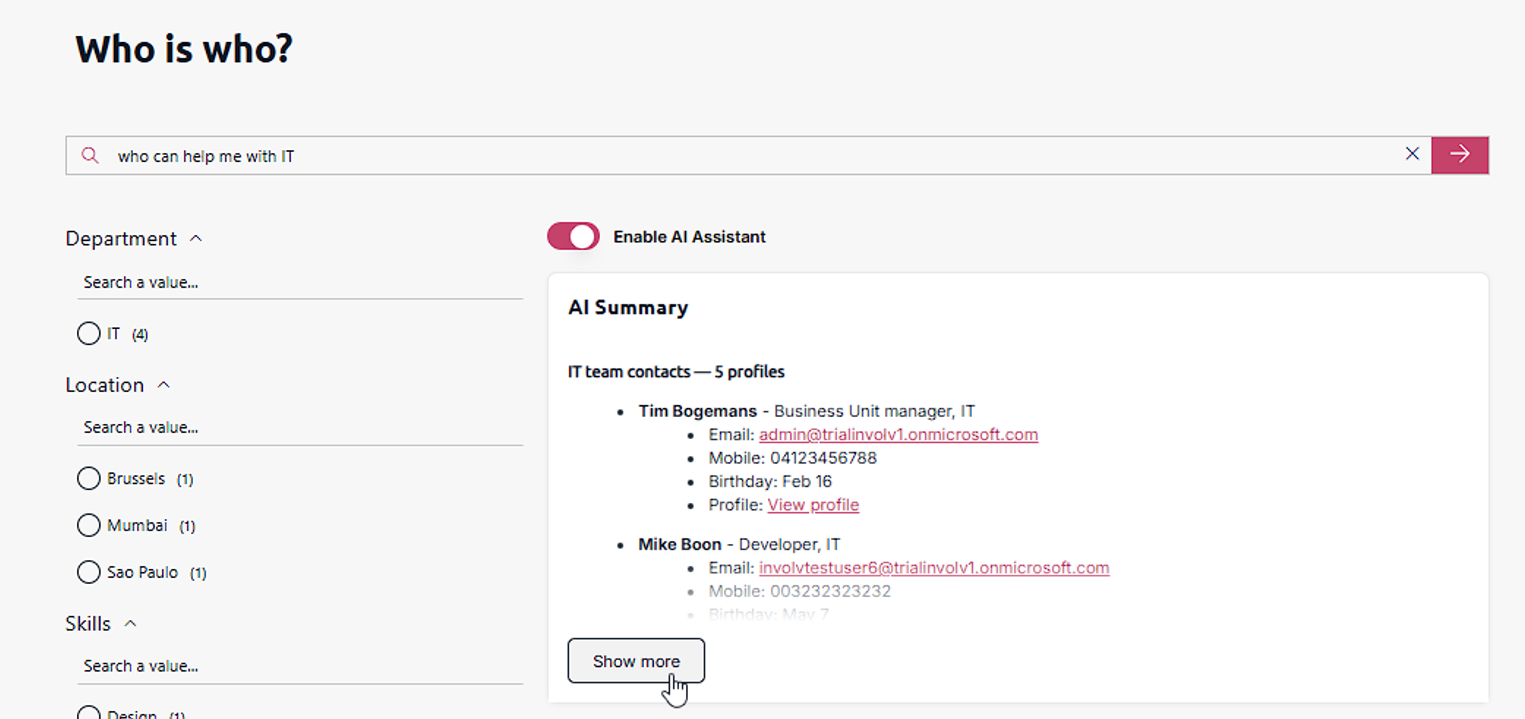
- Concise answers with "Show more" — AI summaries are now shorter and more to the point. Select Generate summary to produce the summary, then Show more to expand it into a fuller, bulleted breakdown (for example, each matching colleague with email, mobile, birthday, and profile link).
Improved relevance and query processing — overall search performance, relevance, and query understanding have been optimised.
The next screenshots show a new experience.
First you search on your homepage"Who can help me with IT". AI recognizes you are searching a human/person so it redirects you to the who is who page. Here you get your results and can generate the AI summary. The AI summary is now very clear en gives a short answer. If there is more to the AI answer you can open it with "Click more"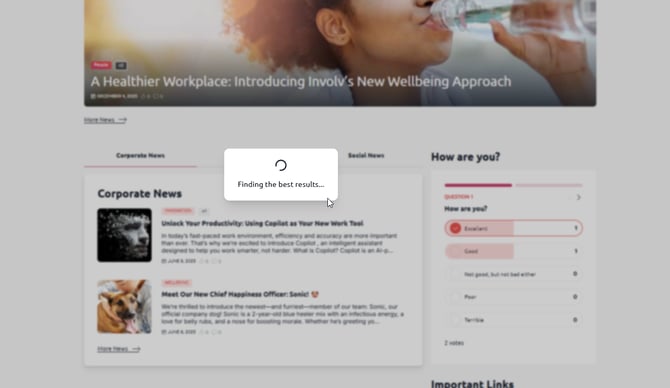
Involv version 5.4